Flow Builder & Templates
The Flow Builder is where you design how your AI agent talks to customers. It’s like building a conversation path step by step.
Understanding the Basics
Section titled “Understanding the Basics”What is the Flow?
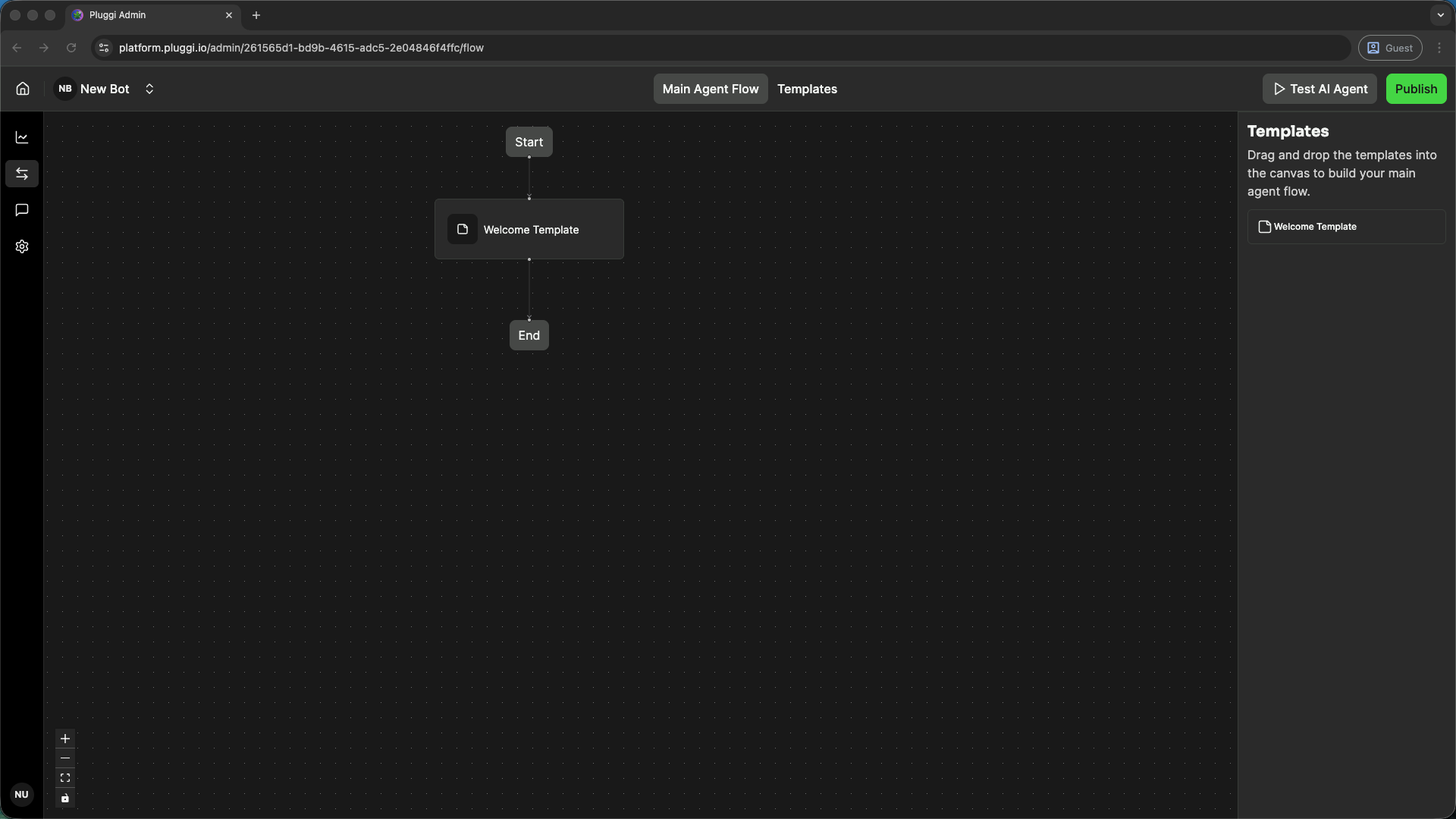
Section titled “What is the Flow?”The Flow is the overall logic and conversation journey of your bot. It’s how your agent guides customers through different topics and helps them find what they need.
What are Templates?
Section titled “What are Templates?”Templates are groups of related conversations. Think of them as folders that organize your agent’s different functions. For example:
- “Greeting” template - How the bot welcomes customers
- “Product Questions” template - How the bot answers questions about products
- “Support” template - How the bot handles customer issues
What are Blocks?
Section titled “What are Blocks?”Blocks are the individual building pieces of your conversation. Each block has a specific job:
- Send a message to the customer
- Ask a question and collect an answer
- Make a decision based on what the customer said
- Connect to another part of the conversation
Block Types & Categories
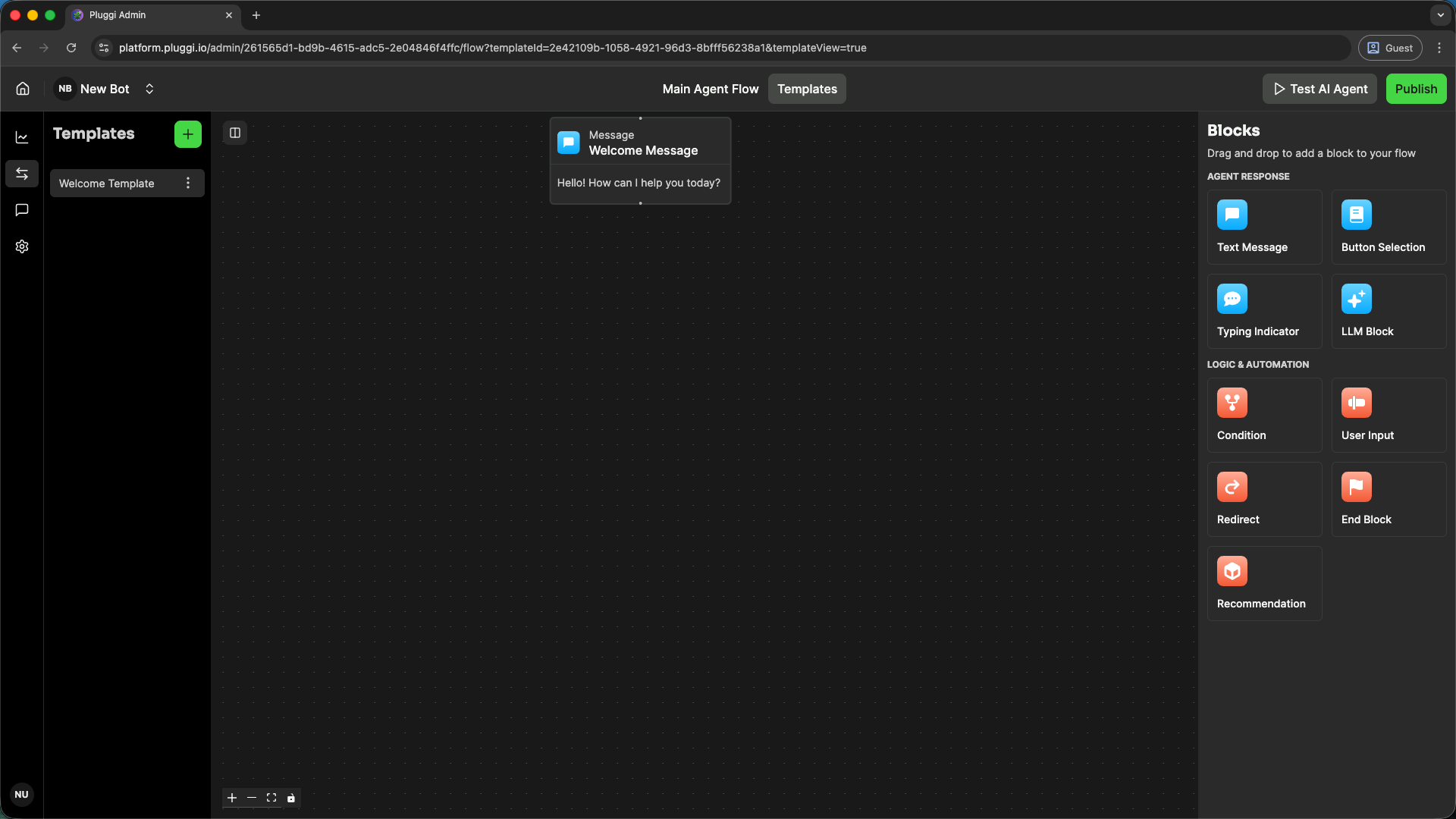
Section titled “Block Types & Categories”The Flow Builder includes two main block categories for building conversational flows: Response Blocks for communication and Logic Blocks for flow control.
Response Blocks (Communication & User Experience)
Section titled “Response Blocks (Communication & User Experience)”These blocks handle direct communication, user experience, and AI interactions.
| Block Name | Purpose | Use When | Details |
|---|---|---|---|
| Message Block | Sends text messages to customers, supporting static text or dynamic attribute values. | You need to display information or send a greeting message | See details |
| Buttons Block | Offers pre-defined selection options (Quick Replies) and stores the user selection as an Attribute. | You want customers to choose from predefined options (e.g., menu categories, product types) | See details |
| Typing Indicator Block | Enhances user experience by simulating a typing indication for a specified duration. | You want to add a natural pause before displaying a response | See details |
| LLM Block | Enables conversations with the LLM Agent; requires configuration of the Agent’s prompt and fallback message. | You want the agent to provide AI-powered, context-aware responses | See details |
Logic Blocks (Flow Control & Data Management)
Section titled “Logic Blocks (Flow Control & Data Management)”These blocks govern the flow structure, gather critical data, and manage external integrations.
| Block Name | Purpose | Use When | Details |
|---|---|---|---|
| Condition Block | Directs the conversation to branch out based on attribute values collected in previous blocks. | You need to create different conversation paths based on customer choices or data | See details |
| User Input | Collects structured data from users by prompting them to fill in a form field, including validation settings. | You need to gather specific information from the customer (e.g., name, email, quantity) | See details |
| Redirect Block | Allows for the reuse of existing blocks or templates to reduce flow construction time. | You want to avoid duplicating similar conversation sections | See details |
| End Block | Terminates the conversation flow at a specified point. | You want to end the conversation at a particular point in the flow | See details |
| Recommendation Block | Provides specific product or shop recommendations; requires prior API Integration setup. | You want to suggest products based on customer interactions and integrated inventory data | See details |
How to Build Your Flow
Section titled “How to Build Your Flow”- Create a new template - Organize your conversation topics
- Add blocks - Drag blocks into your template to create conversation steps
- Connect blocks - Draw connections between blocks to create the flow
- Configure each block - Set up what each block says or does
- Test your flow - Talk to your agent to make sure it works
Tips for Building Great Flows
Section titled “Tips for Building Great Flows”- Keep it simple - Don’t make customers click through too many steps
- Be clear - Use simple language customers understand
- Offer choices - Use buttons or menus to guide customers
- Handle errors - Plan for when customers ask something your bot doesn’t understand
- Test thoroughly - Before publishing, test every conversation path
Understanding the Main Flow vs Templates
Section titled “Understanding the Main Flow vs Templates”Main Flow - The high-level view showing how different templates connect together (the big picture)
Templates - The detailed view where you design conversations within each topic area (the details)
Most of your work happens in Templates where you create specific conversations.
Next Steps
Section titled “Next Steps”- Review how blocks work to understand each block type better
- Learn about templates to organize your conversations
- Review messages to see how real conversations are happening